Mobile mechanic and roadside repair software
Your shop is your truck. GaroPro follows the job from the call to the payment: the address, the trip, the vehicle, the work done and the invoice.
14-day trial · Web and mobile · English and French
Check-in, even on the road
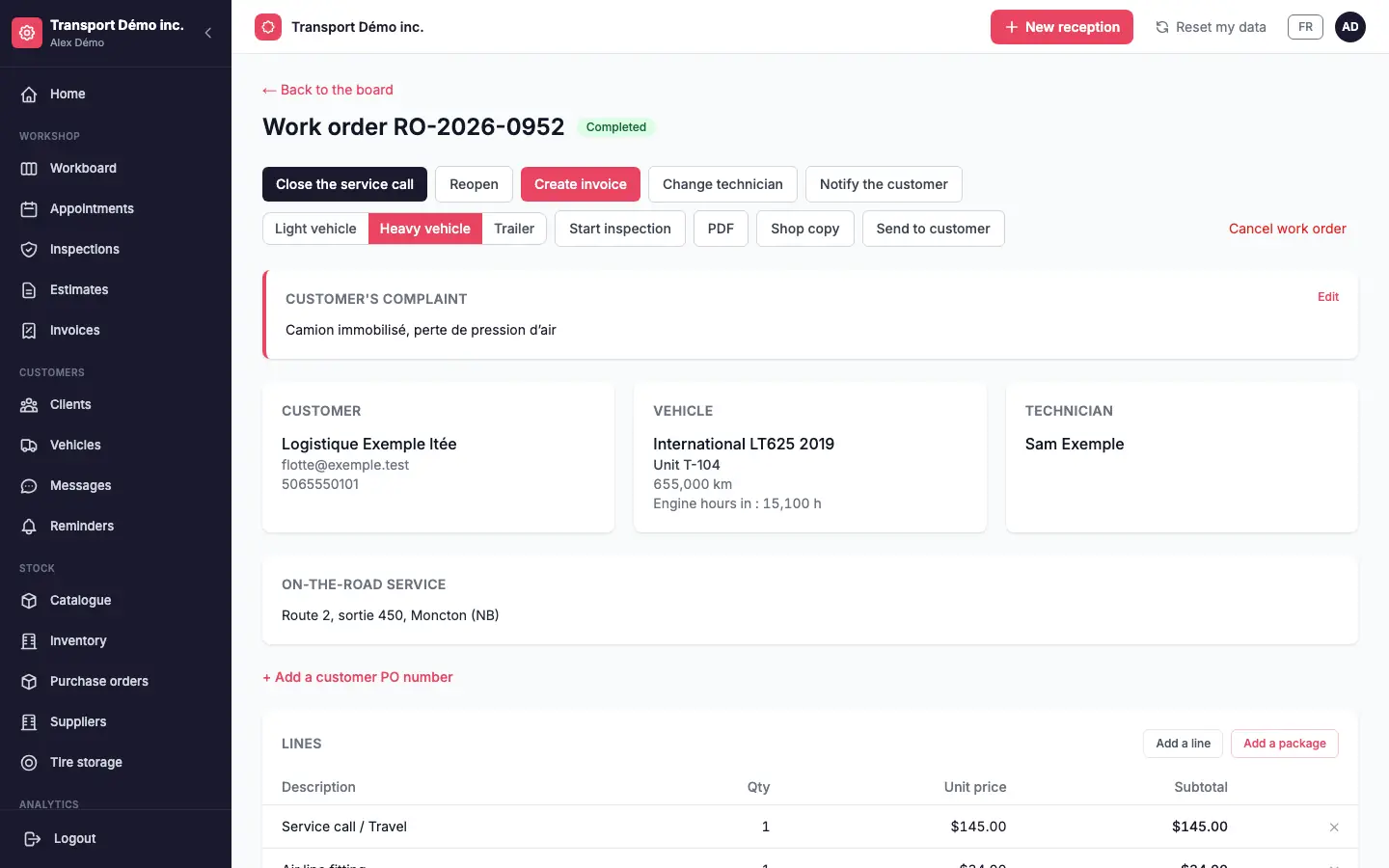
Turn on road service in the shop settings. At check-in, choose “on the road” and enter the job address: it stays with the work order.
“On my way” and “Arrived on site”, from the phone
In the app, the technician taps “On my way” when leaving: the departure time is recorded and, if you turn it on, the customer is notified by text or email. On site, “Arrived on site” records the arrival time and moves the work order to in progress.
The job card also opens directions to the address, in one tap.
The service call, billed
Add your service call at check-in in one click: the line comes from your catalogue, at your price. The trip is no longer forgotten on the invoice.
A vehicle you don’t know yet
A customer calls from the roadside without their VIN? Open the order with a vehicle to identify, and complete its file on site.
The end-of-work note
Before you finish, record the cause found, the work done and your recommendations. The customer finds them on the work order and on the invoice.
Invoice and payment, on site
The invoice is created from the work order, with your province’s taxes. Send the payment link by text or email: the customer pays by card, through Stripe or Square, before you even leave.
On the web and on your phone
Management runs the shop on the web; the team has the iPhone and Android app for check-in, work orders, “On my way” and “Arrived on site”, and inspections with photos.
The guided complaint, from the first call
At check-in, guiding questions help record what the customer describes: the symptom, since when, under what circumstances, which warning lights. The technician arrives knowing what to look for.
Frequently asked questions
Does the customer know I’m on my way?
Yes, if you turn it on: when the technician taps “On my way” in the app, the customer is notified by text or email. “Arrived on site” then records the arrival time and moves the work order to in progress.
Can I bill the trip?
Yes. The service call is added at check-in in one click, at your catalogue price.
What if I don’t know the vehicle?
Open the work order with a vehicle to identify, then complete its file on site.
Can the customer pay on site?
Yes. Send them the payment link by text or email: they pay by card, through Stripe or Square.
Does it work on iPhone and Android?
Yes. The mobile app is available for iPhone and Android; the shop is also managed on the web.
Which plan?
Road service, the service call and online payment are on every plan.